
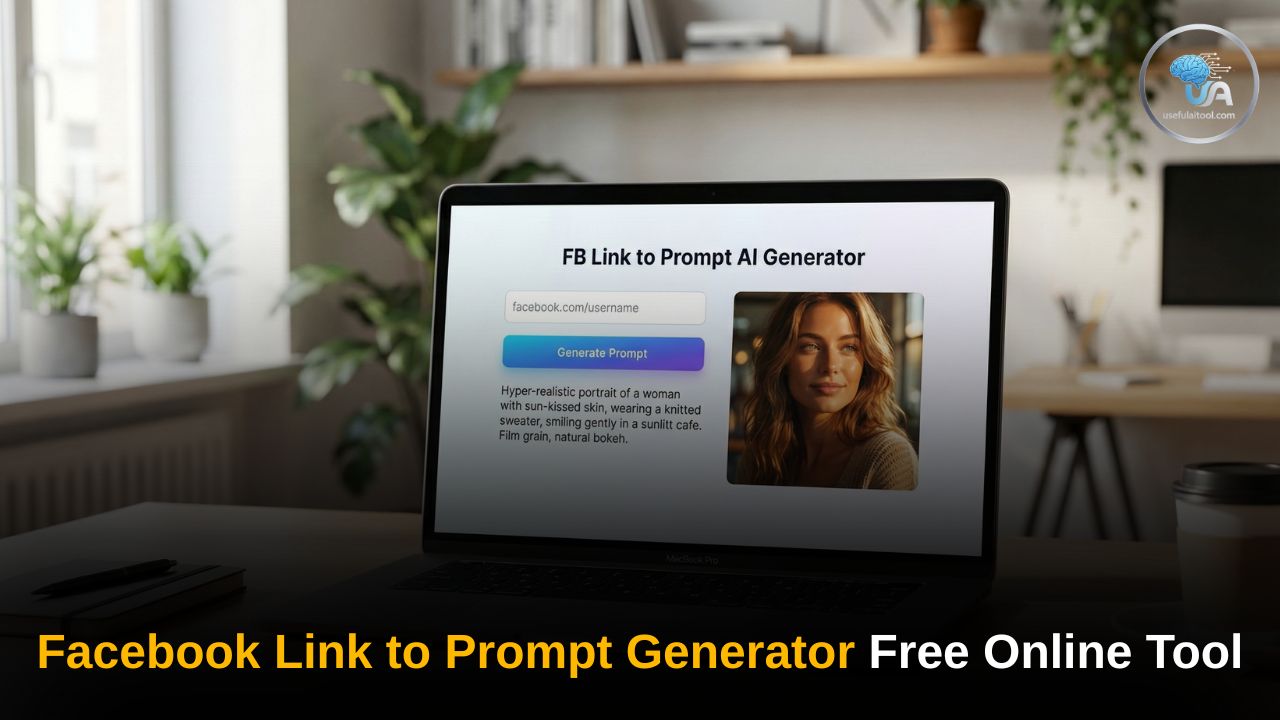
Facebook Link to Prompt Generator Free Online Tool: In the modern digital landscape, Facebook remains a powerhouse for social connection, business marketing, and community building. However, as the platform becomes increasingly visual, the challenge for creators and businesses is no longer just “what to post,” but “how to stand out.” This is where a Facebook Link to Prompt Generator becomes an essential tool in your creative arsenal.
Artificial Intelligence (AI) has revolutionized content creation. By converting a simple Facebook link—whether it’s a profile, a specific post, or a business page—into a detailed AI image prompt, you can generate high-quality, relevant visuals that resonate with your audience.
What is a Facebook Link to Prompt Generator?
A Facebook Link to Prompt Generator is a specialized AI-powered tool designed to analyze the context, aesthetic, and core theme of a Facebook URL. It then “translates” that data into a descriptive text prompt. These prompts can be used in AI image generators like Midjourney, DALL-E 3, or Stable Diffusion to create custom graphics, 3D avatars, or cinematic scenes that perfectly match your Facebook presence.
VIDEO PROMPT GEN
Convert Facebook URLs into hyper-detailed Video Generation instructions.
Analyzing scene dynamics…
Whether you want to turn your profile picture into a Pixar-style animation or create a professional banner for your business page, this tool bridges the gap between a simple link and high-end digital art.
How to Use This Tool: A Step-by-Step Guide
Using our free tool is designed to be intuitive and fast. Follow these simple steps to transform your Facebook links into creative prompts:
Step 1: Copy Your Facebook Link
Go to Facebook and find the specific link you want to use. This could be:
- Your personal profile URL.
- A link to a specific photo or post.
- Your Business Page or Group URL.
Step 2: Paste the URL into the Generator
Navigate to the Facebook Link to Prompt Generator interface. You will see a dedicated input box. Paste your copied link directly into this field.
Step 3: Select Your Style (Optional)
Most generators allow you to choose a “vibe” or artistic style. Common options include:
- 3D Social Media Avatar: Perfect for creating those trendy “boy/girl sitting on a logo” images.
- Cinematic/Realistic: Best for professional branding and high-quality ads.
- Anime/Cyberpunk: For a more stylized, modern look.
Step 4: Click “Generate Prompt”
Hit the generate button. The AI will analyze the link and provide you with a detailed paragraph of text. This text is your “Prompt.”
Step 5: Use the Prompt in an AI Image Generator
Copy the generated prompt and paste it into your preferred AI tool (like Bing Image Creator or Midjourney). Within seconds, you will have a custom image based on your Facebook link!
Also Try This Tool: The Ultimate Guide to Password Security in 2026: Why 16 Characters is the New Standard
Why You Need This Tool for Your Facebook Growth
- Brand Consistency: If you are running a business page, maintaining a consistent visual style is vital. The prompt generator ensures that the AI understands your existing brand colors and themes.
- Increased Engagement: AI-generated visuals, especially 3D avatars and hyper-realistic scenes, currently see much higher engagement rates on Facebook compared to standard stock photos.
- Time Efficiency: Instead of spending hours trying to describe what you want to an AI, the generator does the heavy lifting by extracting the context from your link automatically.
- Cost-Effective: Professional graphic design can be expensive. A free prompt generator allows you to create world-class visuals at zero cost.
Frequently Asked Questions (FAQs) on Facebook Link to Prompt Generator Free
Q1: Is this tool really free to use?
A: Yes! Our Facebook Link to Prompt Generator is completely free. We believe in empowering creators with the best AI tools without any paywalls.
Q2: Does the tool save my private Facebook data?
A: No. The tool only “reads” the public-facing data of the link provided to understand the context for the prompt. We do not store personal information or access your private messages.
Q3: Which AI image generator works best with these prompts?
A: While the prompts are universal, they work exceptionally well with Bing Image Creator (DALL-E 3) for 3D avatars and Midjourney for high-end artistic shots.
Q4: Can I use the generated images for commercial purposes?
A: This depends on the AI image generator you use (like Midjourney or DALL-E). Most allow commercial use if you have a paid subscription, but always check their specific terms of service.
Q5: Why is my link not working?
A: Ensure that the link is public. If a Facebook profile or group is set to “Private,” the AI might not be able to crawl the data to generate an accurate prompt.
Pro-Tips for Better Results
- Be Specific: If the generator gives you a prompt, don’t be afraid to add your own details to the end of it, such as “wearing a blue hoodie” or “background of a sunset.”
- High-Quality Links: Use links to high-resolution profile pictures or well-described business pages for the most accurate prompt generation.
1 thought on “Facebook Link to Prompt Generator Free Online Tool: Generator Detailed AI Prompt in a Click”