FPS Calculator Online: Building a custom gaming PC is an emotional journey. You spend weeks researching parts, watching YouTube benchmarks, and finally preparing to spend your hard-earned money on that shiny new NVIDIA RTX or AMD Radeon graphics card.
But then, the fear sets in. “Will this expensive setup actually run Cyberpunk 2077 on Ultra settings?” “Did I just pick a GPU that my CPU can’t handle?” “Is there an accurate fps calculator pc build tool that can predict my performance before I buy?”
Stop guessing. Start calculating.
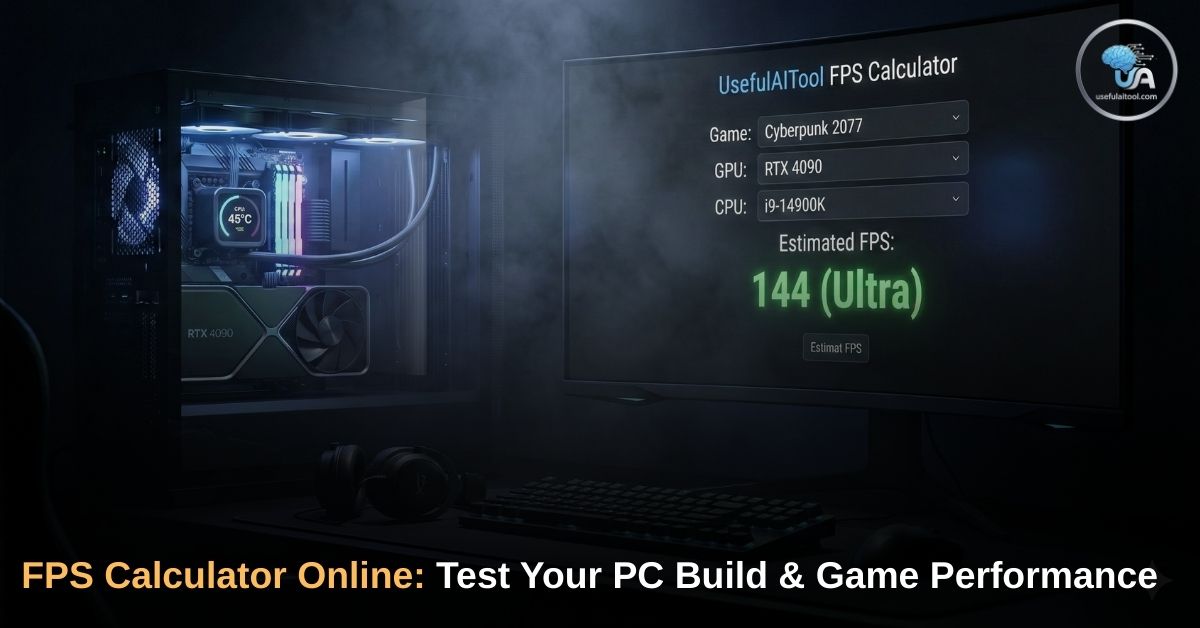
Welcome to the UsefulAITool Ultimate FPS Calculator. This isn’t just a random number generator. It is a powerful fps calculator online designed to simulate hardware performance. Whether you are upgrading your current rig or building a beast from scratch, our tool gives you the answers you need without requiring any downloads.
Why You Need an FPS Calculator for Games
Calculating Frames Per Second (FPS) is complex because every game engine is different. A rig that runs CS:GO at 300 FPS might struggle to hit 30 FPS in Alan Wake 2.
🖥️ PC Build FPS Calculator
Select your components & game to test performance.
Estimated Performance
*Estimates based on hardware benchmarks. Actual performance may vary due to drivers, thermals, and background apps.
You need a specialized fps calculator for games that understands these differences. Our tool takes the "Holy Trinity" of PC hardware into account:
- The Muscle (GPU): The Graphics Processing Unit is the artist. It paints the pixels on your screen.
- The Brain (CPU): The Central Processing Unit tells the GPU what to paint. It handles physics, AI, and game logic.
- The Canvas (Resolution): Painting a small picture (1080p) is easy. Painting a mural (4K) takes serious power.
By combining these factors with real-world benchmark data, we provide an estimated FPS range for Low, Medium, High, and Ultra settings.
Step-by-Step Guide: How to Use the FPS Calculator Online
Using our calculator is simple. Since it is a browser-based fps calculator online, you can use it on your phone while shopping for parts or on your desktop.
1. Select Your Game 🎮
Different games optimize differently. Our fps calculator for games covers the most popular titles:
- Competitive Shooters: Select Valorant, CS:GO 2, or Fortnite. These are lightweight and usually run at high FPS.
- Open World Epics: Select GTA V or Red Dead Redemption 2. These require a balance of CPU and GPU.
- Graphics Heavyweights: Select Cyberpunk 2077 or Alan Wake 2. These are the ultimate stress tests for your system.
2. Choose Your Resolution 🖥️
- 1080p (FHD): The standard for competitive gaming. It relies more on your CPU.
- 1440p (2K): The sweet spot for modern gaming. Visuals look crisp, and hardware load is balanced.
- 2160p (4K UHD): The visual elite. This relies almost entirely on your GPU power.
3. Pick Your Hardware (PC Build) ⚙️
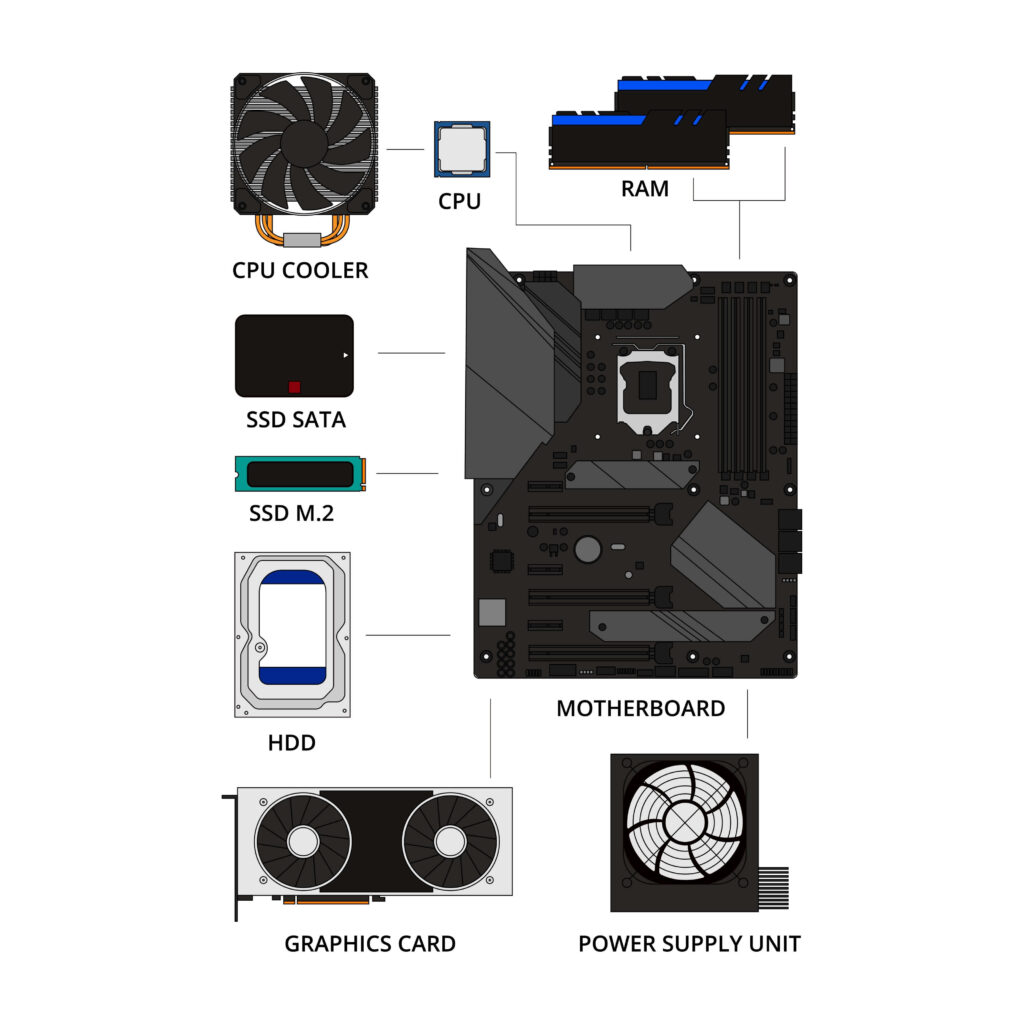
This is the core of the fps calculator pc build feature. Select your:
- Graphics Card (GPU): From RTX 4090 to GTX 1650.
- Processor (CPU): Intel Core i9/i7/i5 or AMD Ryzen 9/7/5.
- RAM: 8GB, 16GB, or 32GB+.
4. Click "Calculate FPS" 🚀
Hit the button, and watch the magic happen.
Understanding Your Results: What is Good FPS?
So, the tool says you will get 85 FPS. Is that good? It depends on the genre.
🟢 30-60 FPS (Playable / Cinematic)
This is the standard for consoles and story-driven single-player games.
- Target: Red Dead Redemption 2, Alan Wake 2.
- Experience: It looks like a movie. As long as it is stable, it is perfectly enjoyable.
🟡 60-100 FPS (Smooth Gaming)
This is the Gold Standard for PC gaming.
- Target: GTA V, Cyberpunk 2077.
- Experience: Fluid motion, responsive controls, and great visuals. Most 1440p monitors shine here.
🔴 144 FPS+ (Competitive / Esports)
If you are using our fps calculator for games like Valorant or Warzone, this is the target. You need speed to react faster than your enemy.
- Target: Valorant, CS:GO, Warzone, Fortnite.
- Experience: Ultra-smooth. Requires a 144Hz or 240Hz monitor.
Pro Tip: If your PC creates 144 FPS but your monitor is only 60Hz, you are wasting power. Check your actual screen output with our Monitor Refresh Rate (Hz) Tester.
The Silent Killer: What is a "Bottleneck"? ⚠️
One of the most valuable features of our fps calculator pc build tool is the Bottleneck Detector. A bottleneck happens when one component holds back another.
Case A: The CPU Bottleneck (Bad) 🛑
- Scenario: You pair a powerful RTX 4090 with an old Intel Core i3.
- Result: Your GPU renders frames instantly, but it has to wait for the slow CPU to tell it what to do next. You get low FPS and stuttering, and your expensive GPU sits at 40% usage.
- Fix: Upgrade your processor or play at a higher resolution (4K) to shift the load to the GPU.
Case B: The GPU Bottleneck (Normal) ✅
- Scenario: You have a fast Ryzen 7 CPU but a mid-range RTX 3060.
- Result: Your CPU is bored, waiting for the GPU to finish painting complex 4K graphics.
- Verdict: This is actually ideal for gaming. You want your GPU to be used 100% to get the most value out of it.
3 Ways to Boost Your FPS (Without Spending Money)
If your results from the fps calculator online are lower than you'd like, try these software tricks before buying new hardware:
1. Enable DLSS or FSR
If you have an NVIDIA (RTX) or AMD card, look for DLSS (Deep Learning Super Sampling) or FSR in your game settings. This renders the game at a lower resolution and uses AI to upscale it.
- Result: You can gain 20-40 FPS with almost no loss in visual quality.
2. Update Your Drivers
It sounds basic, but "Game Ready Drivers" from NVIDIA and AMD are optimized for the latest titles. An outdated driver can cost you 10-15% performance in new games like Starfield or Call of Duty.
3. Enable XMP for RAM
Many gamers buy fast 3200MHz or 6000MHz RAM but forget to enable XMP (Extreme Memory Profile) in their BIOS. Without this, your RAM runs at slow stock speeds (2133MHz), killing your CPU performance.
FAQs on FPS Calculator Online for PC Build
Q1: Is this fps calculator pc build tool accurate?
No online calculator is perfect. Real-world performance depends on your specific PC cooling (thermals), background apps (Discord/Chrome), and driver versions. However, our tool provides a highly accurate estimate based on benchmark data from thousands of users.
Q2: Can I run GTA VI?
While GTA VI isn't out yet, you can use our fps calculator for games to estimate performance by selecting Cyberpunk 2077 or Red Dead Redemption 2. If your PC handles those on High settings, you are likely ready for GTA VI.
Q3: Why is my actual FPS lower than the estimate?
Check your temperature. If your CPU hits 90°C+, it will "thermal throttle" (slow down) to protect itself. Also, ensure you aren't running heavy background tasks.
Conclusion: Plan Your Dream Build
Don't build your PC blind. Use data to make smart decisions. Whether you are trying to squeeze every frame out of CS:GO or just want to enjoy Cyberpunk without lag, the UsefulAITool FPS Calculator is your first step.
Ready to test your rig? Select your components above and calculate your FPS online now! 🚀
Explore More Tech Tools:
- Sell Your Old Tech: Upgrading your GPU? Find out how much your old gadgets are worth with the Used Phone Price Calculator.
- Gaming Reflexes: Think you are a pro gamer? Test your reaction time with the Mouse Click Speed Test.
(Disclaimer: This tool provides performance estimates based on hardware specifications. Actual results may vary.)