Online Pomodoro Timer Full Screen: Let’s be honest—staying focused in today’s digital world is incredibly hard. Whether you are studying for a major exam, coding a new app, or writing a blog post, distractions are just one click away. A quick check of your phone turns into a 30-minute scrolling session, and suddenly, half your day is gone.
The reality is that the human brain is not wired to focus for eight hours straight. We need a structured balance of deep work and mental rest to operate at our best.
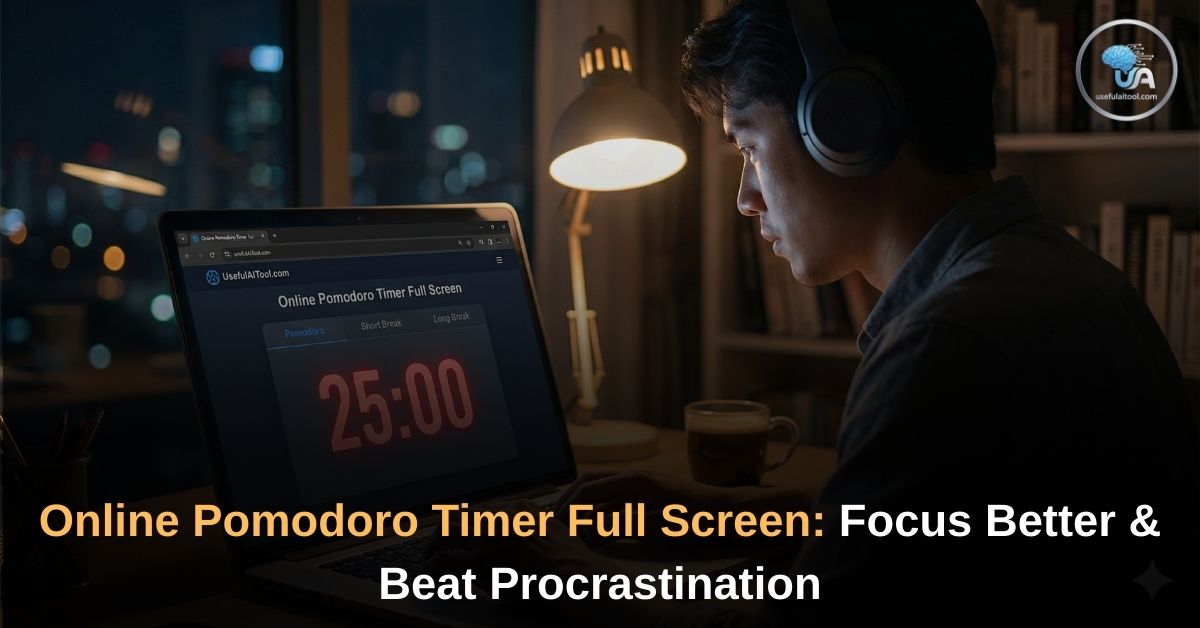
This is exactly where the UsefulAITool Full-Screen Pomodoro Timer comes in. Our free, web-based timer is designed to help you break your work into manageable intervals, eliminate burnout, and force you to single-task until the job is done.
What is the Pomodoro Technique?
The Pomodoro Technique is a time management method developed by Francesco Cirillo in the late 1980s. The word “Pomodoro” is Italian for tomato, named after the tomato-shaped kitchen timer Cirillo used as a university student.+1
⏱️ Pomodoro Timer
The concept is incredibly simple but highly effective. It trains your brain to focus on a task for a short, intense burst, followed by a guaranteed reward (a break).
Here is the standard workflow:
- Pick a single task you need to accomplish.
- Set the timer for 25 minutes (This is one “Pomodoro”).
- Work with 100% focus until the timer rings. No checking emails, no social media.
- Take a 5-minute short break. Stretch, grab water, or rest your eyes.
- Repeat. After completing four consecutive Pomodoros, take a 15 to 30-minute long break to fully recharge.
By breaking your day into these sprints, you create a sense of urgency. You stop worrying about finishing the entire project and just focus on what you can do in the next 25 minutes.
Why Use a “Full-Screen” Pomodoro Timer?
You might be wondering, “Can’t I just use the clock on my phone?”
You can, but your phone is also the source of your biggest distractions. Picking up your phone to check the timer often leads to checking your messages.
Our Full-Screen Pomodoro Timer is a commitment device. By clicking the full-screen toggle, the timer expands to cover your entire computer monitor.
- It hides your browser tabs.
- It covers your taskbar and desktop notifications.
- It serves as a massive visual reminder that you are currently in “Work Mode.”
If you catch your mind wandering and look up at your screen, the giant countdown clock will instantly pull your focus back to the task at hand.
Top Features of Our Free Timer (Online Pomodoro Timer Full Screen)
We built this tool to be the only focus timer you will ever need. It requires no downloads, no app installations, and no account registrations.
- Clean, Dark Mode UI: Designed to be easy on the eyes, especially for developers and late-night studiers.
- Dynamic Color Themes: The interface subtly shifts colors based on your current state. Red for Deep Focus, Green for a Short Break, and Blue for a Long Break.
- Browser Tab Tracking: Need to use your browser for research? The countdown timer automatically updates inside your browser’s tab title, so you can always see how much time is left without switching windows.
- Audio Alarms & Notifications: A crisp, non-jarring beep will let you know exactly when it is time to stop working and when it is time to get back to it. It also supports native desktop notifications.
- True Full-Screen Capability: One click expands the timer to hide all desktop distractions.
💡 Maximize Your Productivity (Explore More Tools)
The Pomodoro technique is just one way to optimize your workflow. During your 5-minute breaks, why not check out some of the other free utility tools we offer on UsefulAITool.com?
- For the Video Editors & Gamers: Are you rendering heavy files or taking a gaming break? Check if your hardware is bottlenecking your performance using our FPS Calculator PC Build Tester.
- For the Writers & Creators: Did you just spend a 25-minute Pomodoro writing a YouTube script? Paste your text into our Script Reader AI to hear it read aloud and instantly calculate its video runtime.
- For the Freelancers: Spending your focus block doing administrative work? Don’t forget to optimize your wealth by running your numbers through our US Tax Saving Calculator.
- Optimize Your Screen: Staring at a screen for hours causes eye strain. Ensure your monitor is running at its smoothest, highest speed by running a quick Monitor Refresh Rate Test.
- Save Content for Later: Found a great YouTube tutorial but don’t have time to watch it right now? Use our All-in-One Online Video Downloader to save it for offline viewing later.
Conclusion: Start Your First Session Today
Stop putting off that difficult task. The hardest part of any project is simply getting started.
Tell yourself that you are only going to work for 25 minutes. No monumental goals, no extreme pressure. Just 25 minutes of honest effort. Hit the “Start” button on our Pomodoro Timer above, expand it to full screen, and watch your productivity skyrocket!