Pinterest Music & Video Downloader: In the vast landscape of digital inspiration, Pinterest stands as a titan. It is no longer just a place for aesthetic mood boards or DIY home decor ideas; it has evolved into a powerhouse of short-form video content, cinematic reels, and trending audio tracks. From soulful lo-fi beats used in travel montages to high-energy motivational clips, Pinterest is a goldmine of creative assets.
However, there is one major hurdle that creators, editors, and casual users face every day: Pinterest does not have a native download button for video or audio content.
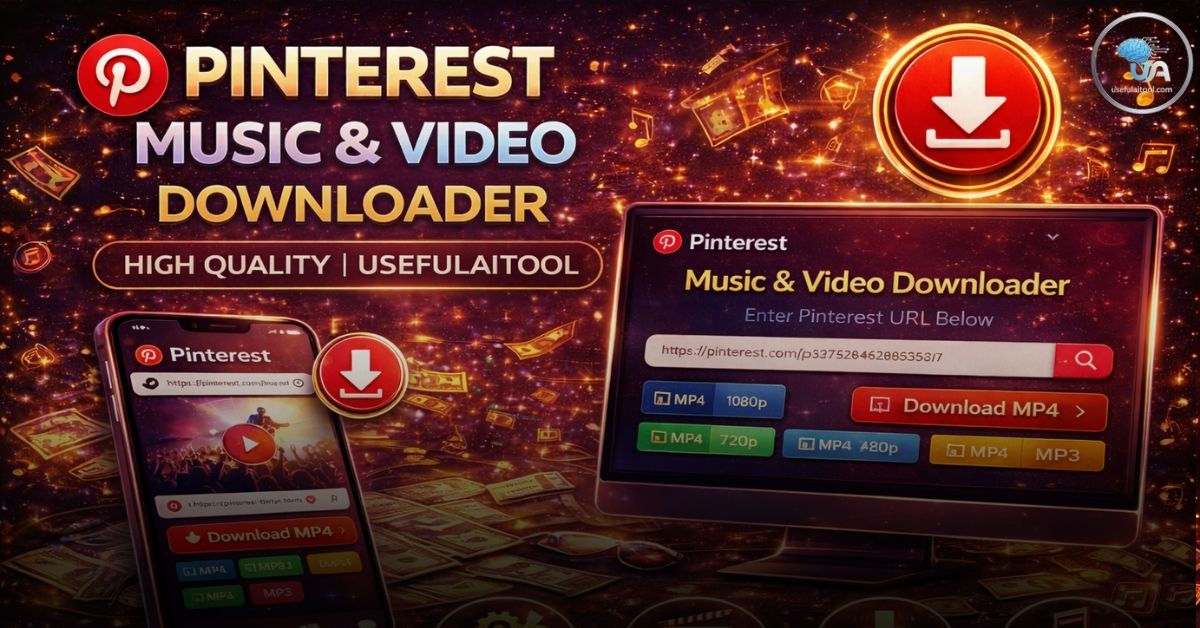
This is where the Pinterest Music & Video Downloader by UsefulAItool.com comes into play. In this guide, we will dive deep into how you can extract high-quality media from Pinterest, the technology behind it, and how to use these assets responsibly for your creative projects.
Why Use a Pinterest Music & Video Downloader?
You might wonder why you need a dedicated tool when you can simply “Save” a Pin. On Pinterest, “Saving” only adds the content to one of your virtual boards within the app. It doesn’t store the file on your device’s local storage. Here is why a downloader is essential:
1. Content Creation & Remixing
If you are a video editor or a social media manager, you often need b-roll footage or specific background music that aligns with a certain aesthetic. Pinterest’s “Idea Pins” often feature unique soundtracks that aren’t easily found on other platforms. Using a downloader allows you to bring those assets into your editing software (like Premiere Pro or CapCut).
2. Offline Inspiration
Designers and students often work in environments with limited connectivity. By downloading educational videos or tutorials, you can build an offline library of resources that you can access anytime, anywhere.
3. Preserving Viral Trends
Internet content is fleeting. A creator might delete a video, or a link might break. By downloading your favorite Pinterest videos or music, you ensure that you have a permanent copy of the inspiration that moved you.
Introducing the UsefulAItool Pinterest Downloader
At UsefulAItool.com, our mission is to simplify the digital workflow. We realized that existing Pinterest downloaders were often cluttered with intrusive ads, broken links, and complicated interfaces. We built our tool with three core pillars: Speed, Quality, and Security.
Key Features of Our Tool:
- High-Definition Extraction: We don’t just “record” the screen; our algorithm fetches the original source file link from Pinterest’s metadata, ensuring you get the highest resolution available (usually 1080p).
- Audio Extraction: Specifically designed for music lovers, our tool can isolate the audio track from a video Pin, allowing you to save it as a high-bitrate MP3 or AAC file.
- No Registration Required: You don’t need to create an account or provide an email. Your privacy is paramount.
- Mobile-Friendly Design: Whether you are on an iPhone, Android, or Desktop, the responsive UI scales perfectly for a one-tap download experience.
How to Download Pinterest Music & Videos: A Step-by-Step Guide
Using our tool is as simple as “Copy and Paste.” Here is the exact process:
Step 1: Find Your Pin
Open the Pinterest app or website. Browse until you find the video or music-heavy Pin you wish to save.
Step 2: Copy the Link
Click on the Share icon (the small arrow) and select “Copy Link.” If you are on a desktop, you can simply copy the URL from your browser’s address bar.
- Note: Our tool supports both standard
pinterest.com/pin/...links and shortenedpin.it/...links.
Step 3: Paste and Extract
Paste the link into the sleek input box at the top of the page. Click the “Extract Media” button.
Step 4: Preview and Download
Within seconds, our AI-powered backend will generate a preview of the video and a thumbnail. You will see a “Download Now” button. Click it, and your file will begin downloading immediately to your device.
The Technology: How It Works (The “AI” in UsefulAItool)
Many people ask, “Is it magic?” Not quite—it’s smart engineering.
When you paste a link, our server acts as a “headless browser.” It visits the Pin URL and looks for JSON-LD (JavaScript Object Notation for Linked Data). Pinterest uses this data to tell search engines what the video is about. Within this code lies the contentUrl—the direct path to the .mp4 or .m3u8 file hosted on Pinterest’s content delivery network (CDN).
Also Try this Tool: Online Video Downloader: Save YouTube, Facebook, TikTok & Twitter Videos for Free
Our tool identifies the highest bitrate version of that file, bypasses the “view-only” restrictions of the interface, and presents the raw file to you. For music, we use a cloud-based transcoding layer that strips the visual data and converts the stream into a pure audio format without losing quality.
Pinterest vs. TikTok vs. Instagram: Which has better media?
As a content creator, you might be deciding which platform to scrape for inspiration. Here is how Pinterest compares:
| Feature | TikTok | Instagram Reels | |
| Aesthetic Quality | Extremely High (Cinematic) | High (Casual/Vlog) | High (Polished) |
| Watermarks | Usually None | Heavy Watermarking | Medium Watermarking |
| Searchability | Keyword-Based (Excellent) | Algorithm-Based | Hashtag-Based |
| Audio Variety | Unique/Indie | Viral/Mainstream | Commercial/Trending |
Pinterest wins for “Evergreen Content.” While TikTok trends die in a week, a Pinterest video about “Minimalist Interior Design” remains relevant for years. This makes the Pinterest Downloader a more valuable tool for long-term project planning.
Creative Ways to Use Downloaded Pinterest Media
Once you’ve downloaded your files from UsefulAItool.com, how can you use them?
1. Vision Boards for 2026
Move beyond static images. Create a “Video Vision Board” on your tablet. Seeing your goals in motion—whether it’s a travel destination or a fitness milestone—is a much more powerful visualization tool.
2. Mood Films for Brands
If you are pitching a brand identity, use downloaded Pinterest clips to create a “Mood Film.” It shows the client the vibe and motion of the brand, not just the colors.
3. Personal Playlists
Found a rare acoustic cover of a song on a Pin? Download the audio and add it to your personal “hidden gems” folder.
Legal and Ethical Considerations: A Peer-to-Peer Advice
At UsefulAItool.com, we advocate for the responsible use of technology. While downloading media for personal use (offline viewing, inspiration) is generally considered acceptable, you must be careful with redistribution.
- Respect Copyright: If you plan to use a downloaded video in a YouTube video or a commercial ad, always reach out to the original creator for permission.
- Give Credit: If you share a clip on your social media, tag the original Pinner. It helps the creative community grow.
- Avoid “Re-uploading”: Taking someone else’s video and posting it as your own to gain followers is frowned upon and can lead to DMCA takedowns.
Our tool is intended for personal, educational, and transformative use cases.
Common Troubleshooting Tips
Sometimes, technology can be finicky. If you encounter an issue, check these common fixes:
- Private Boards: Our downloader cannot access Pins that are saved in “Secret Boards” or private profiles. Make sure the Pin is public.
- Expired Links: Pinterest links can sometimes expire if the user deletes the post while you are trying to download it. Refresh the page and try a new link.
- Browser Cache: If the “Download” button doesn’t appear, try clearing your browser cache or using Incognito mode.
Why “UsefulAItool” is the Future of Web Utilities
The internet is becoming more complex. Tools that were simple five years ago are now bogged down by “cookie consent” pop-ups and paywalls. UsefulAItool.com is part of a new wave of “Clean Web” utilities.
We believe that if a tool is useful, it should be fast. If it’s powered by AI, it should be intuitive. Whether you are using our Pinterest Music Downloader, our Salary Calculators, or our AI Character Generators, you are experiencing a streamlined version of the web designed for the modern user.
Final Thoughts
Pinterest is a window into the world’s collective imagination. Don’t let that inspiration stay trapped behind a screen. Use the Pinterest Music & Video Downloader to take your favorite content with you, remix it, learn from it, and use it to fuel your own creative fire.
Ready to start? Head over to the tool container above, paste your link, and witness the power of UsefulAItool!