Music is the universal language of humanity, and SoundCloud is its premier digital frontier. As a platform that hosts over 300 million tracks from independent artists, bedroom producers, and world-class DJs, it offers a variety of sounds you simply won’t find on mainstream streaming services. However, SoundCloud’s biggest limitation is its reliance on an internet connection for streaming.
Whether you are heading on a long flight, a remote road trip, or simply want to preserve your data plan, you need a way to bring your favorite tracks with you. Enter the SoundCloud Downloader by Useful AI Tool. Our tool is designed to bridge the gap between digital streaming and offline freedom.
In this exhaustive guide, we will cover how to use our SoundCloud to MP3 converter, the technicalities of audio quality, and the legal nuances of downloading music in 2026.
Why Use an Online SoundCloud Downloader?
While the official SoundCloud app allows for offline listening via their “SoundCloud Go+” subscription, it has several drawbacks:
- Subscription Costs: You have to pay a monthly fee.
- Proprietary Format: The music stays within the app; you can’t move it to an MP3 player, an SD card, or use it in video editing software.
- Availability: Many indie artists do not enable the “Download” button on their tracks.
Our tool on Useful AI Tool provides a solution for these gaps, offering a free, browser-based way to save audio files directly to your device storage.
Technical Specifications: Understanding Audio Quality
Not all MP3s are created equal. When you use a SoundCloud downloader, the quality of the output depends on the “Bitrate.”
- 128kbps: Standard quality. Good for casual listening but lacks depth in the bass and clarity in the highs.
- 192kbps: High quality. This is the sweet spot for most mobile users.
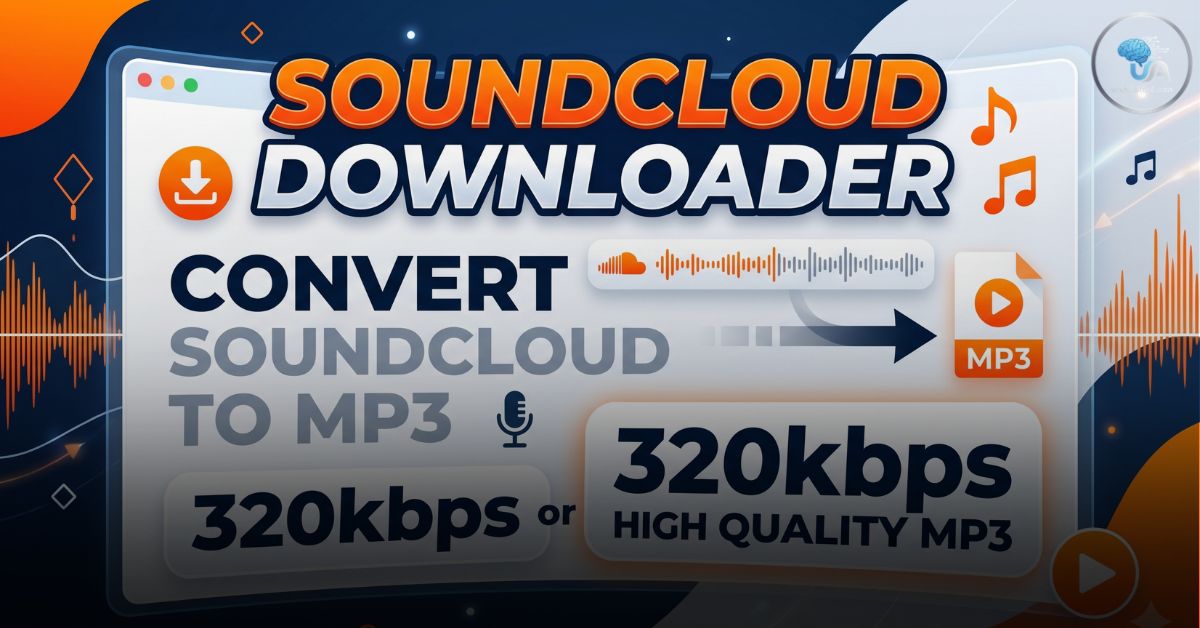
- 320kbps: Professional/Insane quality. This is the highest possible bitrate for an MP3, offering a rich, full-bodied sound that mimics the original studio recording.
Our engine at Useful AI Tool prioritizes 320kbps conversion whenever the source file allows it, ensuring your ears get the best experience possible.
How to Download SoundCloud Songs: A Step-by-Step Guide
Downloading your favorite tracks is a seamless process that takes less than a minute. Here is the “How-To” for desktop and mobile users:
Convert SoundCloud tracks to high-quality MP3 (320kbps) instantly.
Analyzing Link…

Step 1: Find Your Track
Open SoundCloud and navigate to the song or set you want to download.
Step 2: Copy the URL
- On Desktop: Copy the link from your browser’s address bar.
- On Mobile: Tap the “Share” button on the track and select “Copy Link.”
Step 3: Visit Useful AI Tool
Head over to the SoundCloud Downloader Tool.
Step 4: Paste and Analyze
Paste the link into the input field. Our AI-driven engine will analyze the link to ensure the track is public and accessible.
Step 5: Convert and Save
Select your preferred format (MP3 is the default). Click “Convert.” Once the progress bar reaches 100%, click “Download” to save the file to your “Downloads” folder.
While your music is converting, why not check out your creative side? Use our Pokémon Infinite Fusion Calculator to design unique new species!
Legal and Ethical Considerations
At Useful AI Tool, we believe in supporting creators. Before you download, keep these ethical guidelines in mind:
- Personal Use Only: These downloads are intended for offline personal listening. Do not re-upload an artist’s work to other platforms or use it for commercial purposes without permission.
- Support the Artist: If an artist has a “Buy” link on their SoundCloud page, consider purchasing the track to support their career directly.
- Copyright Compliance: Respect the terms of service of the original platform.
For more information on digital rights and fair use, you can visit the Electronic Frontier Foundation (EFF) or read the official SoundCloud Terms of Use.
FAQs
Q1: Is the SoundCloud Downloader free?
Yes. Our tool is 100% free to use. We do not require any registration or credit card details.
Q2: Can I download an entire playlist at once?
Currently, our tool is optimized for single tracks to ensure the highest conversion speed. For playlists, you will need to paste the individual links of the tracks you love most.
Q3: Is it safe to use this tool?
Absolutely. Unlike many “sketchy” downloader sites, we do not use intrusive pop-up ads or hidden malware. The conversion happens securely within your browser environment.
Q4: Why can’t I download some tracks?
If a track is set to “Private” by the artist or is restricted to a specific region, our downloader may not be able to access the audio stream.
Q5: Can I use these tracks in my YouTube videos?
Only if the artist has labeled the track as “Creative Commons” or “Royalty-Free.” If not, you may face a copyright strike.
Troubleshooting Common Issues
If you encounter a problem while using the downloader, try these quick fixes:
- Invalid URL: Ensure you copied the full link (e.g.,
https://soundcloud.com/artist/track). - Slow Download: This is usually due to your local internet connection. Try switching from mobile data to Wi-Fi.
- Browser Compatibility: Our tool works best on modern browsers like Chrome, Firefox, and Safari. Ensure your browser is updated to the latest version.
If you are planning to use these downloaded tracks for a travel vlog or a school project abroad, make sure your documents are also ready. Use our Passport Size Photo Maker for your visa and ID applications.
Beyond Music: The Useful AI Ecosystem
The SoundCloud Downloader is just one part of the Useful AI Tool mission to provide high-utility digital resources. Whether you are a student converting your GPA from 5.0 to 4.0 or a spiritual seeker calculating your Destiny Matrix, we provide the tools to help you navigate the modern world.
Conclusion
The ability to enjoy music offline shouldn’t be a luxury hidden behind a paywall. By using the SoundCloud Downloader on Useful AI Tool, you regain control over your digital library. From underground lo-fi beats to high-energy techno sets, your favorite sounds are now just a click away from being yours forever.
Start building your offline collection today. For the latest updates in audio technology and AI music, keep an eye on our blog or follow the AES (Audio Engineering Society) for professional insights into sound quality.
Disclaimer: Useful AI Tool does not host any copyrighted content on its servers. This tool is a technical interface that allows users to access publicly available audio streams for personal use.